Formats
Color Negative restoration
A color negative is the orange-masked strip that came back from the lab with the prints, and it is the master copy of every drugstore photo since the 1950s. Because it is inverted and masked, the restoration tools need it scanned as a positive first.
The dyes fade unevenly so the orange mask no longer inverts cleanly, the strips scratch and curl, and the paper sleeves stick to the emulsion. None of this is reversible on the color negative itself, which is why the repair happens on a scan while the original goes back into a cool, dry box.
Run Faded Photo Fixer on the color negative scan first, then decide whether the result needs a second pass for faces or grain. A color negative restored at Pro or Max holds up better as a large reprint.
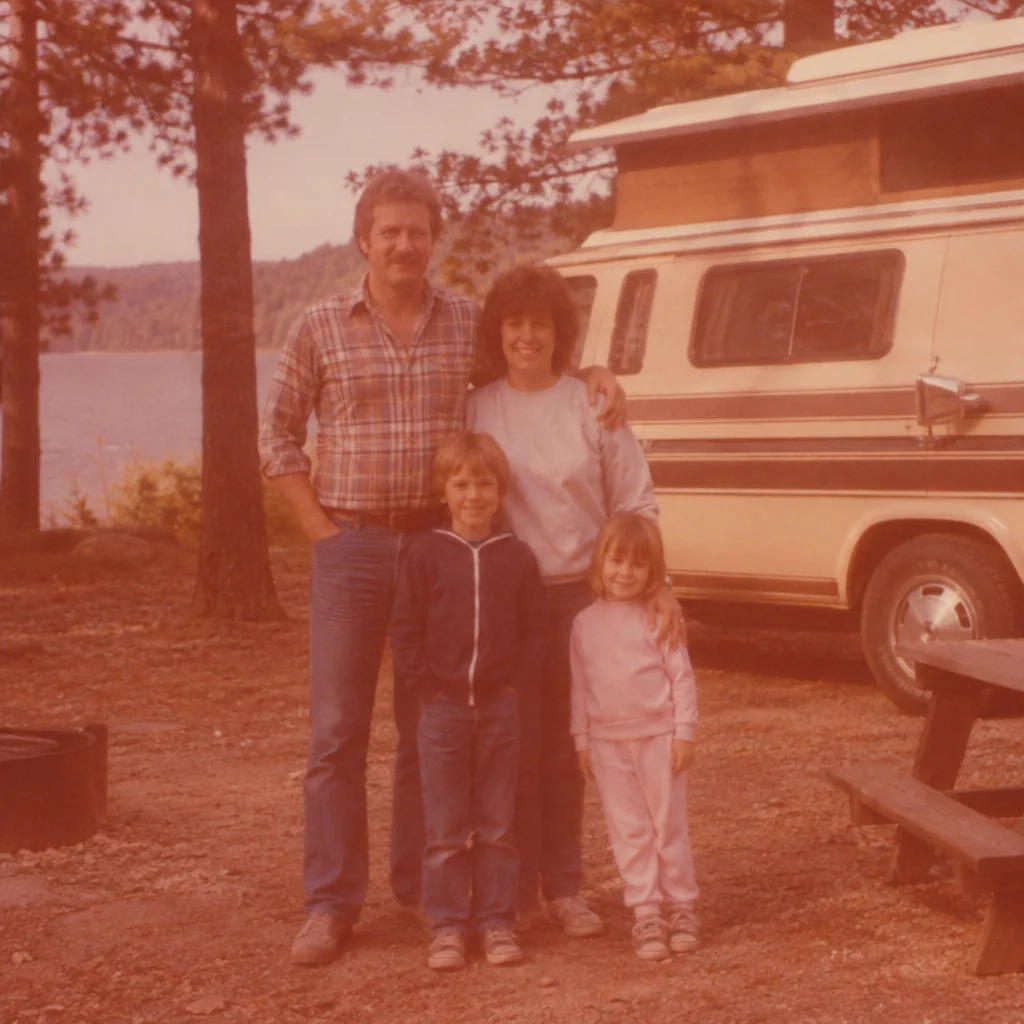
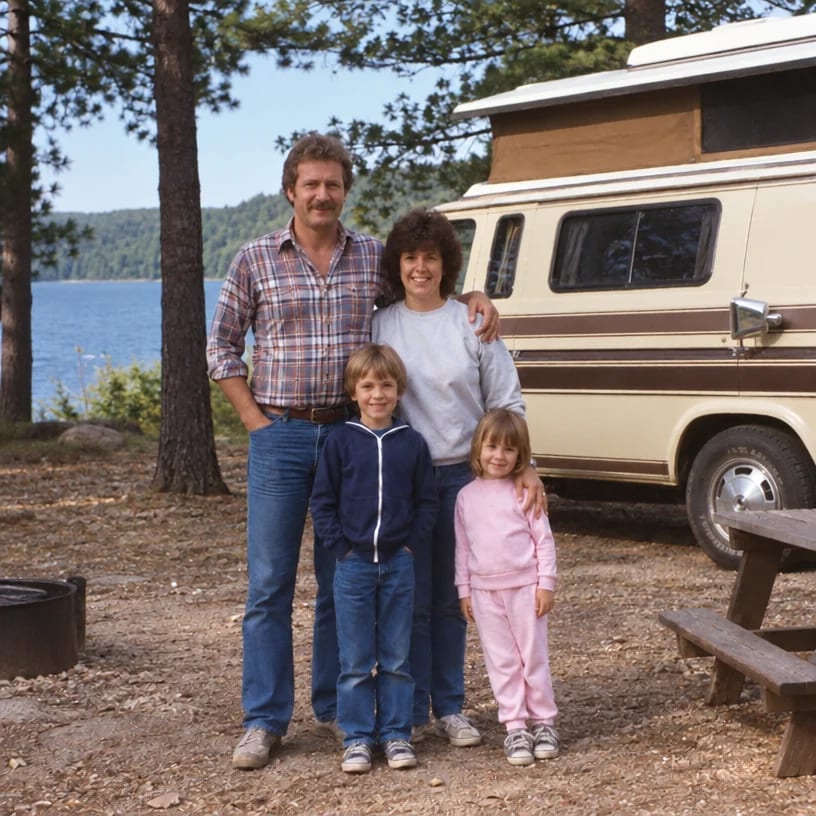
Original on the left, restored on the right; hover to see more of the repair. Made in the Studio from a scan of the print.
Print and file requirements
| Requirement | Detail |
|---|---|
| Years in use | 1942 (Kodacolor) onward |
| Typical size | 35 mm; 126 (28 mm square); 110 (13 x 17 mm); 120 medium format |
| Process | C-41 (from 1972) and earlier C-22 chromogenic negative |
| Appearance | Orange-masked inverted image on a strip of 4 to 6 frames |
| How it fails | Uneven dye fade, cyan or magenta shift after inversion, scratches, curl |
| Scan tip | Invert and scan as a positive first (a film scanner or a negative app), then upload the positive |
What matters for these photos
- Uneven dye fade, cyan or magenta shift after inversion, scratches, curl on a color negative
- A color negative scanned once, badly, and never touched again
- Faces on a color negative that are too small or too soft to enlarge
- A reprint of the color negative for a frame, needing more pixels than the scan has
Suggested order of passes
- 01
Run Faded Photo Fixer on the color negative
Written for the way a color negative fails: uneven dye fade, cyan or magenta shift after inversion, scratches, curl.
Faded Photo Fixer - 02
Clean up the color negative scan
Removes scanner dust, borders and the color cast a flatbed adds to a color negative, and straightens it.
Scan Cleanup - 03
Restore the faces on the color negative
Recovers eye and skin detail at natural strength; small faces on a color negative are plausible reconstructions.
Face Restoration - 04
Upscale the color negative for reprinting
A color negative is small to begin with; the upscaler adds the pixels a frame-sized print needs.
Image Upscaler
Questions
Related guides